The Weekly Review: A Checklist for Productive Professionals
High-performance productivity requires more than just hard work: it requires regular reflection. Discover the ultimate weekly review checklist to stay organized.
Introduction
In the fast-paced world of modern business, it is easy to spend your entire week reacting to emergencies. Between overflowing inboxes and back-to-back meetings, many professionals feel like they are constantly falling behind. This feeling of being overwhelmed is often a sign of a "perspective gap": where the daily tasks no longer align with long-term goals. The Weekly Review is the solution to this problem.
At BrainyFlavors, we follow an Education First philosophy. We believe that before you adopt a new tool or software, you must understand the underlying methodology. A Weekly Review is a dedicated block of time (typically 60 to 90 minutes) where you step back from the "doing" to engage in "thinking." It is a fundamental practice for anyone seeking Operational Excellence in their personal and professional life.
90%
Stress Reduction
Reported by users who maintain a consistent review habit.
60m
Investment Time
One hour of review can save up to five hours of wasted effort.
100%
Mental Clarity
Achieved by externalizing tasks and clearing the mental load.
Why the Weekly Review Matters
The primary goal of a weekly review is to clear your mental clutter and ensure your project list is up to date. Without a regular check-in, small tasks turn into major bottlenecks. In the context of Business Improvement, the weekly review serves as a personal "Kaizen" event: a small, regular improvement that prevents large-scale failures.
By reviewing your commitments, you gain the confidence that your system is reliable. This allows you to engage fully in "deep work" during the week, knowing that nothing important is slipping through the cracks. It is the bridge between Organizing Your Digital Workspace and achieving real-world results.
The 3-Phase Weekly Review Checklist
To perform an effective review, follow these three distinct phases: Get Clear, Get Current, and Get Creative.
1. Get Clear
2. Get Current
3. Get Creative
Phase 1: Get Clear
Empty your head and your workspace so you have a clean slate.
Process Loose Papers and Materials: Go through business cards, receipts, and miscellaneous scraps of paper. File them, digitize them, or discard them.
Desktop (Physical and Digital): Clear your desk and your computer desktop. A tidy environment reduces cognitive load.
Inbox Zero: Process your email, Slack, and other message apps. You do not have to "do" the tasks, but you must "process" them into your trusted system.
Brain Dump: Write down every project, idea, or task currently in your head. Get it all out on paper or into your Notion workspace.
ℹ️ Pro Tip for Managers
During the 'Get Clear' phase, check your 'Waiting On' list. Often, projects stall because someone else owes you a response. Sending a quick follow-up during your review can save days of delay later in the week.
Phase 2: Get Current
Ensure your project management system reflects reality.
Review Calendar (Past): Look at the last two weeks. Did any tasks arise from those meetings that you forgot to capture?
Review Calendar (Future): Look at the next four weeks. What is coming up? What do you need to start preparing for today?
Review Projects: Go through your active projects list one by one. Ensure every project has at least one "Next Action" associated with it.
Review Specific Lists: Check your "Someday/Maybe" list. Is there anything you want to move into active projects?
Phase 3: Get Creative
Think about the big picture and new opportunities.
New Ideas: What bold moves could you make? This is where you apply Strategic Thinking to your own career.
Review Goals: Are your current projects actually moving you toward your 1-year or 5-year vision?
Common Mistakes to Avoid
Even the most productive professionals struggle with consistency. Here are the common pitfalls that can derail your review habit:
Skipping the Review when Busy: This is when you need it most. If you are too busy to review, you are likely working inefficiently.
Doing the Work During the Review: The review is for organizing. If you start answering emails or fixing code, you will never finish the review.
Lack of a Consistent Environment: Try to perform your review at the same time and place every week (e.g., Friday at 3:00 PM at your favorite coffee shop) to build a strong habit.
Review Style Frequency Primary Focus Best For Daily Standup 10–15 mins Next 24 hours Immediate execution Weekly Review 60–90 mins Project alignment Perspective and control Quarterly Review 3–4 hours Strategic vision Goal setting
Recommended Tools for a Productive Review
Success in productivity often comes down to the quality of your thinking and the reliability of your tools. Here are our top recommendations:
1. Strategic Thinking: How Successful People Think
A weekly review is as much about thinking as it is about tasks. John C. Maxwell's guide helps you shift your mindset to solve complex problems and plan for growth. This is an essential read for anyone leading a team or a business.
Recommendation: How Successful People Think by John C. Maxwell. Ideal for managers and entrepreneurs.
2. Physical Organization: Weekly To Do List Notepad
While digital tools are powerful, many people find that a physical "anchor" on their desk helps them stay focused on the weekly priorities they identified during their review. This undated notepad is a simple, effective way to keep your top goals in sight.
Recommendation: Weekly To Do List Notepad by ZOTIA. Perfect for office professionals and students.
3. Meeting and Project Management: Cossini Business Portfolio
A professional portfolio is essential for keeping your review notes and project documents organized. This high-quality vegan leather portfolio includes space for your writing pad, tablet, and cards, making it perfect for strategic planning sessions.
Recommendation: Cossini Black Superior Vegan Leather Business Portfolio.
Frequently Asked Questions
When is the best time to do a Weekly Review? Friday afternoon is popular for closing out the week, while Sunday evening or Monday morning is great for starting fresh. Choose the time when you have the most mental clarity and the fewest interruptions.
Do I need special software for a Weekly Review? No. You can use a simple piece of paper, a notebook, or a digital tool like Notion or Obsidian. The methodology is more important than the software.
What if I have hundreds of tasks to review? Focus on your "Projects" first. If your task list is overwhelming, use the "Get Clear" phase to delete or archive items that are no longer relevant.
Summary and Next Steps
The Weekly Review is the foundation of a productive life. By consistently clearing your head, updating your systems, and aligning your actions with your goals, you move from a state of chaos to a state of control. Remember: the goal is not to have a perfect system, but to have a system that supports your growth.
Ready to improve your productivity further? Explore our complete guide on What Is Business Improvement? or learn how to Organize Your Digital Workspace for better focus. Learn Better. Improve Smarter. Grow Stronger.
Written by
Ashraful Haque
Process Improvement Consultant & Operations Specialist with expertise in Lean Six Sigma, financial workflows, and business intelligence systems.
Comments
Leave a comment
Comments are moderated and will appear after approval.
Recommended Products

Laplink PCmover Ultimate 11 - Migration of your Applications, Files and Settings from an Old PC to a New PC - Data Transfer Software - With Optional High Speed Ethernet Cable - 1 License
Migrate your applications, files, and settings from an old PC to a new one automatically - with optional high-speed Ethernet cable support.
Check Price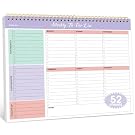
Taja Weekly To Do List Notepad with 52 Undated Sheets (8.5×11) - Weekly Desk Planner for Women & Man, Work and Home - 1 Pack Violet Dream
A practical undated weekly planner for organizing tasks, priorities, and routines without being locked into a calendar year.
Check Price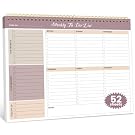
Weekly To Do List Notepad with 52 Undated Sheets (8.5×11) - Undated Weekly Planner Notepad for Office Desk Accessories and Supplies - Midnight Lilac
A simple weekly planning pad that turns a busy workload into a clear visual list, making priorities easier to capture and track.
Check PriceRelated Articles
Finance Team Automation Roadmap: Step-by-Step Guide
A finance team automation roadmap helps finance leaders prioritize repetitive work, improve reconciliation workflows, plan integrations, and introduce automation in manageable stages.
Read Article →Six Sigma Defect Reduction: A Complete Practical Guide
Learn how Six Sigma defect reduction helps teams identify defects, find root causes, improve processes, and sustain better quality over time.
Read Article →Top Business Improvement Tools in 2026: How to Choose
Compare business improvement tools by purpose, capabilities, and implementation needs to find the right solution for your team's operational goals.
Read Article →