How to Build an Attorney and Law Firm Lead List
Learn how to build an attorney and law firm lead list that is organized, relevant, qualified, and easier to use for consistent business development.

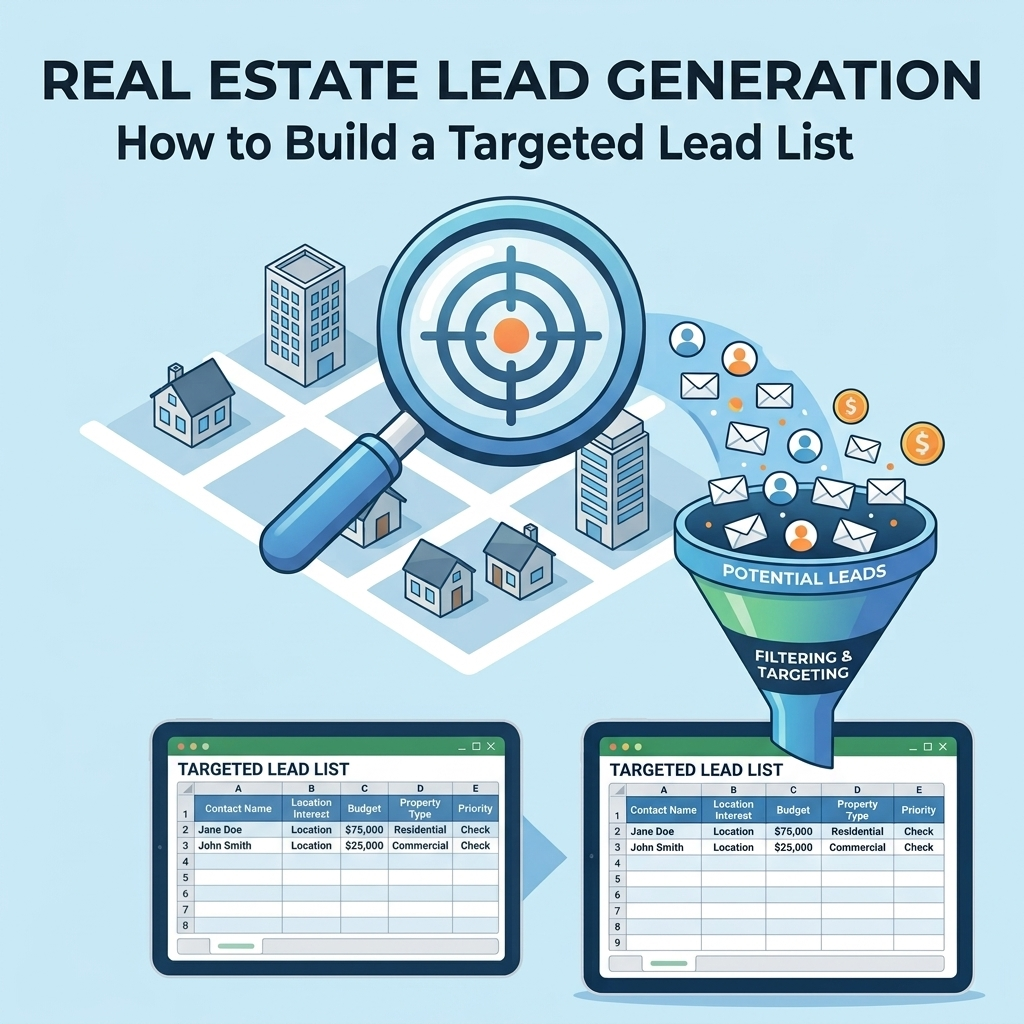
Building an attorney and law firm lead list is more than collecting names and email addresses. A useful list should identify the right firms, organize relevant business information, distinguish firms from individual attorneys, and make the resulting data practical for prospecting.
Whether you are building a list for a legal service provider, a B2B vendor, a professional services company, or an internal business development team, the process becomes more reliable when you define the target first and structure the data before outreach begins.
What Is an Attorney and Law Firm Lead List?
An attorney and law firm lead list is a structured collection of prospective legal-industry businesses and contacts that match defined targeting criteria.
Depending on the purpose of the list, a record may represent a law firm, a specific attorney, a practice group, or another relevant business contact. The important point is that every record should have a clear reason for being included.
A practical lead list can help a team:
- Identify law firms that fit a defined target profile.
- Organize firm and contact information consistently.
- Segment prospects by useful business characteristics.
- Prioritize prospects for sales or business development activity.
- Reduce duplicate and irrelevant records.
- Maintain a reusable prospecting database.
1. Define Your Target Law Firm Profile
Start by deciding what makes a law firm a relevant prospect. Without clear targeting criteria, list building can quickly become a volume exercise rather than a focused prospecting process.
Consider defining criteria such as:
- Geographic market or service area.
- Law firm size or organizational structure.
- Practice area.
- Type of client served.
- Business model or firm specialization.
- Specific decision-maker or contact role.
- Other business characteristics relevant to the campaign.
The criteria should be specific enough to help someone decide whether a firm belongs on the list.
2. Decide Whether You Need Firm-Level or Attorney-Level Leads
One of the first decisions is the level at which you want to build the database.
| Lead Type | Useful When | Typical Record Focus |
|---|---|---|
| Law Firm | The business is the primary prospect | Firm name, location, practice area, website, business details |
| Attorney | A specific professional is the target contact | Name, role, firm, professional details, contact information |
| Firm and Attorney | Both organization and decision-maker context matter | Firm information connected to individual contact information |
Choosing the correct record structure early helps prevent confusion later, particularly when several attorneys work at the same firm.
3. Create a Standard Lead Data Structure
Before collecting records, define the fields your final database should contain. A consistent structure makes filtering, segmentation, validation, and future updates much easier.
Firm-Level Fields
- Law firm name
- Website
- Business address
- City
- State
- Postal code
- Practice area
- Firm size or other defined classification
Attorney or Contact Fields
- First name
- Last name
- Job title or role
- Law firm
- Professional email, where appropriate for the intended use
- Business phone, where appropriate for the intended use
Not every campaign needs every field. The goal is to collect the information that supports the actual prospecting workflow rather than adding unnecessary columns.
4. Establish Your Data Sources
Next, determine where the prospect information will come from. The source strategy should match the targeting requirements and the fields you need.
Possible source categories can include:
- Business directories.
- Professional directories.
- Public business websites.
- Industry-specific sources.
- Existing company or CRM records.
- Manually researched business information.
Keep source information organized when it is useful for later verification. A record that cannot be traced or reviewed can be harder to maintain when information changes.
5. Build the List Around the Right Geography
Geographic targeting can make a large legal prospect database much easier to use. Instead of treating every law firm as one general audience, define the geographic boundaries that matter to the campaign.
You might organize records by:
- Country
- State
- City
- Metro area
- Service territory
- Other defined geographic segments
Use a consistent format for geographic fields. For example, do not create separate state categories simply because some records use abbreviations while others use full state names.
6. Segment Law Firms by Practice Area
Practice area can be an important segmentation field when the business development strategy depends on the type of legal work a firm handles.
Instead of keeping all firms in one undifferentiated list, create consistent categories based on the purpose of the campaign.
A structured practice-area field can make it easier to:
- Build targeted prospect groups.
- Customize sales messaging.
- Compare different market segments.
- Prioritize relevant firms.
- Maintain separate prospecting workflows.
Avoid creating excessive categories when a simpler classification system is sufficient. Consistency is generally more useful than unnecessary complexity.
7. Separate Firms From Individual Contacts
A common database problem occurs when firm-level and attorney-level information are stored as though they represent the same type of record.
Consider using separate fields for the organization and the person:
| Organization Information | Contact Information |
|---|---|
| Firm name | Attorney name |
| Firm website | Job title or role |
| Firm location | Professional email |
| Practice area | Business phone |
This structure allows multiple contacts to be associated with the same organization without repeatedly changing the underlying firm information.
8. Standardize the Data Before Using the List
Raw prospect data often contains inconsistent capitalization, abbreviations, formatting, missing values, and duplicate records. Standardization should therefore be part of the list-building process rather than an afterthought.
Review fields such as:
- Firm names
- Attorney names
- Phone numbers
- Email addresses
- Street addresses
- City and state values
- Practice-area classifications
- Website domains
For example, the same organization should not appear under multiple variations simply because its name was collected from different sources.
9. Remove Duplicate Records
Deduplication is essential when information comes from multiple sources. Duplicate records can create repeated outreach, distort list counts, and make a prospect database harder to manage.
Use consistent matching rules based on the structure of your data. Depending on the database, useful comparison fields may include firm name, website domain, business address, attorney name, or other relevant identifiers.
Do not automatically merge records simply because two names appear similar. Potential duplicates should be reviewed when the available information is not sufficient to establish that they represent the same organization or person.
10. Add Lead Qualification Rules
A lead list becomes more useful when the team can distinguish between a record that technically matches the target and one that deserves immediate attention.
Create qualification rules before assigning priority. For example, your process may consider:
- Fit with the target firm profile.
- Geographic relevance.
- Practice-area relevance.
- Contact-role relevance.
- Data completeness.
- Other campaign-specific requirements.
The exact rules should reflect the purpose of the campaign. A qualification framework for one business may not be appropriate for another.
11. Create Useful Lead Segments
Once the core data is organized, create segments that support actual sales or business development actions.
For example, a legal prospect database could be divided by a combination of:
- Geography
- Practice area
- Firm type
- Contact role
- Qualification status
- Data completeness
Good segmentation should answer a practical question such as, “Which prospects should the team work with next?” If a segment does not support a decision or workflow, it may not need to exist.
12. Build a Lead Validation Workflow
Lead validation helps distinguish a structured database from a simple collection of records.
A basic validation workflow can include:
- Check whether the record matches the target criteria.
- Review required fields for completeness.
- Check for obvious duplicates.
- Review business and contact information for consistency.
- Flag records that require additional research.
- Separate usable records from records that should be excluded.
Document the validation rules so different people can apply the same standards.
13. Keep the Database Ready for Prospecting
A lead database should support the next action. If sales or business development staff must manually clean every record before using it, the database is not doing enough of the organizational work.
A practical prospecting database should make it easy to answer questions such as:
- Which law firms match our target profile?
- Which firms are located in a specific market?
- Which practice areas are represented?
- Which contacts are associated with each firm?
- Which records need additional validation?
- Which prospects have already been processed?
14. Document the Lead-Building Process
Documenting the process makes future list updates more consistent. The documentation does not need to be complicated.
At minimum, record:
- Target audience definition.
- Required data fields.
- Source categories.
- Standardization rules.
- Deduplication rules.
- Qualification criteria.
- Segmentation rules.
- Validation steps.
- Data maintenance responsibilities.
This creates a repeatable process instead of requiring the team to rebuild the methodology each time a new list is needed.
15. Review and Maintain the List
Lead list building should not end when the spreadsheet or database is created. Business information can change, contacts can move between organizations, and records can become less relevant to the original campaign.
Establish a recurring review process appropriate to the database and its intended use. During each review, look for:
- Duplicate records.
- Incomplete records.
- Irrelevant prospects.
- Changed organization information.
- Changed contact information.
- Records that no longer meet qualification criteria.
Attorney and Law Firm Lead List Checklist
Use this checklist before considering a prospect list ready for business development:
| Checklist Item | Ready? |
|---|---|
| Target law firm profile is defined | Yes / No |
| Firm-level and contact-level records are structured | Yes / No |
| Required fields are documented | Yes / No |
| Geographic targeting is consistent | Yes / No |
| Practice-area categories are standardized | Yes / No |
| Duplicate records have been reviewed | Yes / No |
| Lead qualification rules are defined | Yes / No |
| Records have been validated according to the process | Yes / No |
| Segmentation supports actual prospecting workflows | Yes / No |
| Maintenance responsibilities are documented | Yes / No |
Common Mistakes When Building Legal Lead Lists
Collecting as Many Records as Possible
A larger list is not automatically a more useful list. If the records do not match the target profile, additional volume can increase the amount of work required without improving the prospecting process.
Mixing Different Record Types
Combining firm information and individual contact information without a clear structure makes the database difficult to filter and maintain.
Ignoring Data Standardization
Inconsistent names, locations, categories, and other fields can make duplicate detection and segmentation more difficult.
Skipping Validation
Unreviewed records can reduce trust in the database. A defined validation process makes it easier to identify records that need additional review.
Failing to Document the Process
Without documented rules, different people may build lists using different definitions of a qualified prospect.
How to Build an Attorney and Law Firm Lead List Step by Step
- Define the target: Decide which law firms and attorneys qualify as prospects.
- Choose the record level: Determine whether the campaign needs firm-level, attorney-level, or linked firm-and-contact records.
- Define required fields: Create a standard database structure before collecting information.
- Collect records: Gather prospect information from the selected source categories.
- Standardize data: Apply consistent formatting and classifications.
- Deduplicate: Identify and review potential duplicate records.
- Validate: Check records against the defined quality and targeting rules.
- Segment: Organize qualified prospects into useful business development groups.
- Prepare for prospecting: Make the database easy to filter, review, and use.
- Maintain the list: Establish a process for reviewing and updating the database.
When to Use External Lead Generation Support
Building a legal prospect database internally can require significant research, data organization, validation, and maintenance. External support can be useful when your team needs a structured lead-generation workflow but does not want to handle every operational step internally.
BrainyFlavors provides lead generation services for businesses that need support with prospect research, lead data organization, and repeatable lead-generation workflows.
Final Takeaway
A useful attorney and law firm lead list starts with a clear target definition and continues through structured data collection, standardization, qualification, segmentation, validation, and maintenance.
The objective is not simply to create a large database. It is to create a reliable prospecting resource that helps the right team identify relevant law firms and contacts, organize information consistently, and move qualified prospects into the next stage of the business development process.
Written by
Ashraful Haque
Process Improvement Consultant & Operations Specialist with expertise in Lean Six Sigma, financial workflows, and business intelligence systems.
Comments
Leave a comment
Comments are moderated and will appear after approval.
Recommended Products
![LLC Beginner's Guide [All-in-1]: Everything on How to Start, Run, and Grow Your First Company Without Prior Experience. Includes Essential Tax Hacks, Critical Legal Strategies, and Expert Insights](https://m.media-amazon.com/images/I/41o3X44QPLL._SS135_.jpg)
LLC Beginner's Guide [All-in-1]: Everything on How to Start, Run, and Grow Your First Company Without Prior Experience. Includes Essential Tax Hacks, Critical Legal Strategies, and Expert Insights
A beginner-friendly roadmap for starting, running, and growing an LLC, with practical guidance on business setup, taxes, and legal essentials.
Check Price
Taja Weekly To Do List Notepad with 52 Undated Sheets (8.5×11) - Weekly Desk Planner for Women & Man, Work and Home - 1 Pack Violet Dream
A practical undated weekly planner for organizing tasks, priorities, and routines without being locked into a calendar year.
Check Price
Weekly To Do List Notepad with 52 Undated Sheets (8.5×11) - Undated Weekly Planner Notepad for Office Desk Accessories and Supplies - Midnight Lilac
A simple weekly planning pad that turns a busy workload into a clear visual list, making priorities easier to capture and track.
Check PriceRelated Articles
Advanced Cybersecurity Strategies: Best Practices
Build a stronger cybersecurity strategy with practical approaches to access, data protection, monitoring, risk management, and continuous improvement.
Read Article →Email Marketing Fundamentals: A Practical Guide
Learn the fundamentals of email marketing, including audience planning, list management, campaign structure, automation, measurement, and workflow design.
Read Article →How to Scrape Contact Information from Business Websites
Learn how to scrape contact information from business websites and turn extracted details into a structured, clean, and usable business dataset.
Read Article →