Conversion Rate Optimization Tools & Software: A Practical Guide
Compare conversion rate optimization tools and software for testing, analytics, user behavior, landing pages, forms, and conversion workflows.
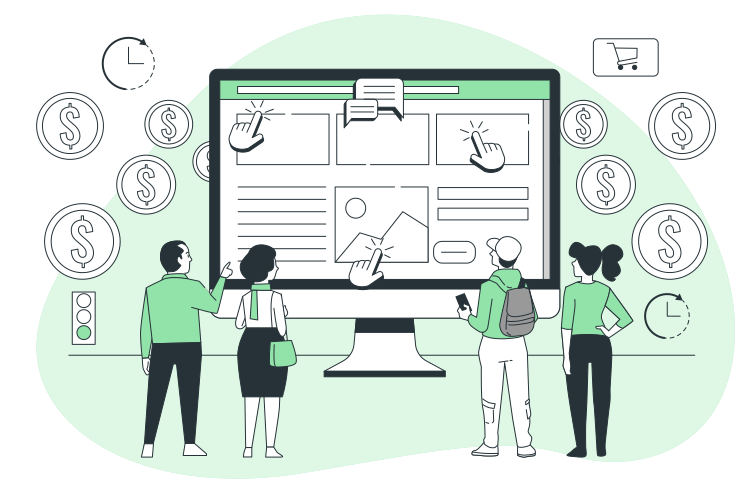
Conversion rate optimization is about improving the percentage of website visitors who complete a desired action. That action might be submitting a form, requesting information, starting a purchase, booking a consultation, signing up, or completing another important business workflow.
Conversion rate optimization tools and software help businesses understand visitor behavior, identify friction, test changes, and monitor conversion activity. The right combination can make CRO more structured and measurable, but different tools solve different problems.
This guide explains the major categories of CRO tools, what each category is designed to do, how the tools work together, and how to evaluate software based on your website, conversion process, data, and business goals.
What Are Conversion Rate Optimization Tools and Software?
Conversion rate optimization tools and software are technologies that help businesses analyze, test, improve, and monitor website or digital experiences with the goal of supporting desired user actions.
Common CRO tool categories include:
- Web analytics
- Conversion tracking
- Heatmaps and interaction analysis
- Session behavior analysis
- A/B testing
- Landing page optimization
- Form analytics
- Customer feedback
- Survey tools
- Funnel analysis
- Reporting and dashboards
- Data integration and automation
The purpose of using these tools is not simply to collect more website data. The objective is to connect evidence to specific conversion problems and make informed improvements.
Why Businesses Use CRO Software
A website can receive traffic without producing the business outcomes that traffic is expected to generate.
For example, a business may have visitors reaching a product page but leaving before taking action. Another business may receive form visits but have users abandon the form before submitting it. A service company may receive qualified traffic but provide a complicated path to requesting a quote.
CRO software can help teams investigate these situations by combining behavioral information, conversion data, testing, and reporting.
A practical CRO process usually follows this cycle:
- Measure current conversion activity.
- Identify potential friction.
- Investigate user behavior.
- Develop a testable improvement.
- Test or implement the change.
- Review the results.
- Document what was learned.
- Continue improving the experience.
Major Categories of Conversion Rate Optimization Tools
| Tool Category | Primary Purpose | Useful For |
|---|---|---|
| Web Analytics | Measure website activity | Traffic and conversion analysis |
| Heatmaps | Understand page interactions | Finding interaction patterns |
| Session Analysis | Study user behavior | Investigating friction |
| A/B Testing | Compare experience variations | Testing specific changes |
| Landing Page Tools | Create or optimize focused pages | Campaign and lead-generation workflows |
| Form Analytics | Understand form behavior | Reducing form friction |
| Survey and Feedback Tools | Collect direct user input | Understanding user concerns |
| Funnel Analysis | Track movement through conversion steps | Finding drop-off points |
| Reporting and Dashboards | Organize conversion information | Ongoing performance review |
1. Web Analytics Tools
Web analytics software provides a foundation for CRO because teams need to understand what visitors are doing before deciding what to optimize.
Analytics can help businesses examine areas such as:
- Traffic sources
- Landing pages
- Important website actions
- User journeys
- Conversion paths
- Page-level performance
- Device or channel differences
The most useful analytics setup starts with clearly defined business conversions rather than collecting every possible metric without a specific purpose.
Define the Conversion Before Measuring It
A conversion should represent a meaningful business action.
For a service business, this might be a quote request. For an online store, it might be a completed purchase. For a software business, it might be a registration or another defined activation event.
Once the desired action is clear, supporting events can be used to understand how visitors move toward that action.
2. Heatmap and Interaction Analysis Tools
Heatmaps can help teams understand how visitors interact with individual pages.
Depending on the tool and implementation, teams may use interaction data to investigate:
- Which page areas receive attention
- Which elements receive interactions
- Whether important content is being engaged with
- Where users may encounter interaction friction
Heatmaps should support a specific investigation. They are more useful when combined with conversion data rather than treated as a standalone measure of page quality.
3. Session Behavior Analysis Tools
Session analysis tools can help teams investigate how individual visitors interact with a website.
These tools can be useful when aggregate analytics show that a conversion step has a problem but do not clearly explain what users are experiencing.
A structured investigation might look like this:
- Identify a page or conversion step with an issue.
- Review relevant user behavior.
- Look for repeated friction patterns.
- Develop a specific hypothesis.
- Test or implement an appropriate change.
The goal is not to watch sessions without a purpose. The goal is to use behavior evidence to investigate a defined conversion question.
4. A/B Testing Tools
A/B testing software helps teams compare different versions of an experience against a defined outcome.
For example, a business might want to evaluate different versions of a landing page, call-to-action placement, form structure, or page content.
Build a Clear Test Hypothesis
A useful CRO test starts with a specific hypothesis.
The hypothesis should explain:
- What is changing
- Why the change is expected to matter
- Which user experience is affected
- Which conversion outcome will be observed
This is more useful than making random page changes and then trying to explain the results afterward.
Evaluate Testing Software Carefully
When comparing A/B testing tools, consider:
- How tests are created
- How variations are managed
- How conversion outcomes are measured
- How results are reported
- How testing fits the website technology
- How tests are documented and managed
5. Landing Page Optimization Tools
Landing pages often have a specific conversion purpose, making them important targets for CRO.
Landing page tools can support the creation, management, or optimization of focused pages used in marketing and conversion workflows.
When evaluating landing page software, consider:
- Page creation workflow
- Design flexibility
- Form support
- Conversion tracking
- Testing requirements
- Integration with existing systems
- Reporting needs
The tool should fit the business's existing publishing and measurement workflow rather than creating another disconnected system.
6. Form Analytics and Optimization Tools
Forms are often a critical part of lead-generation and service businesses.
A form can create friction through unnecessary fields, unclear instructions, confusing validation, poor mobile usability, or a complicated submission process.
Form analytics can help businesses investigate where users encounter problems during the form experience.
Questions to Ask About Your Forms
- Which fields are essential?
- Are users given clear instructions?
- Is the purpose of the form obvious?
- Does the form work smoothly on relevant devices?
- Are validation messages understandable?
- Does the submission process create unnecessary friction?
- What happens after submission?
These questions can help distinguish a traffic problem from a conversion experience problem.
7. Survey and Customer Feedback Tools
Quantitative analytics can show what users are doing, while surveys and feedback tools can provide additional context about why they may be experiencing difficulty.
Feedback can help businesses investigate questions such as:
- What information users expected to find
- What prevented them from completing an action
- Which parts of the experience were unclear
- What information users wanted before taking the next step
Feedback should be organized into themes and connected to specific conversion problems rather than treated as isolated comments.
8. Funnel Analysis Tools
Many conversions involve multiple steps.
A simplified lead-generation funnel might include:
- Visitor reaches a landing page.
- Visitor reviews the offer.
- Visitor starts a form.
- Visitor completes the form.
- Business receives the inquiry.
Funnel analysis helps teams examine the transition between these steps.
The objective is to identify where users stop progressing so that the team can investigate the relevant experience.
9. Reporting and CRO Dashboard Tools
CRO requires ongoing measurement. Reporting tools can help teams organize conversion information into dashboards and recurring reviews.
A useful CRO dashboard should focus on business-relevant questions rather than displaying every available metric.
Depending on the business model, reporting may include:
- Conversion activity
- Important landing pages
- Form activity
- Funnel movement
- Test status
- Experiment results
- Traffic or channel context
Dashboard design should make it easy to identify what requires investigation or action.
10. Data Integration and CRO Automation
CRO data often exists across multiple systems. Website analytics, forms, CRM systems, advertising platforms, spreadsheets, and reporting tools may all contain parts of the conversion process.
When these systems are disconnected, teams may spend unnecessary time moving information manually or reconciling reports.
Automation and integration can help create more consistent workflows for collecting, processing, and reporting conversion information.
For businesses that rely heavily on spreadsheet-based reporting, Excel automation services can support repeatable reporting and data-processing workflows.
How CRO Tools Work Together
The value of a CRO technology stack comes from connecting different types of evidence.
A practical workflow can look like this:
| Stage | Tool Type | Question |
|---|---|---|
| Measure | Analytics | What is happening? |
| Locate | Funnel Analysis | Where is the conversion process losing users? |
| Investigate | Heatmaps or Session Analysis | What might be causing friction? |
| Understand | Feedback Tools | What are users experiencing? |
| Test | A/B Testing | Does the proposed change improve the outcome? |
| Report | Dashboards | What should the team review next? |
This structure keeps each tool connected to a specific part of the optimization process.
How to Choose Conversion Rate Optimization Software
The best CRO software for one business may not be appropriate for another. Start with the conversion process and identify the gaps in your current measurement and optimization workflow.
Step 1: Define the Conversion Goal
Identify the business action you want to improve.
Examples include a completed purchase, quote request, lead submission, registration, consultation request, or another measurable action.
Step 2: Map the Conversion Journey
Document the steps a visitor takes before completing the desired action.
This makes it easier to identify which parts of the journey require better measurement or investigation.
Step 3: Identify the Data Gap
Ask what you currently cannot explain.
For example:
- You know conversions are low but do not know where users drop out.
- You know users leave a page but do not understand their behavior.
- You have a hypothesis but lack a structured testing process.
- You have data in multiple systems but cannot easily combine it.
The answer helps determine which tool category is actually needed.
Step 4: Define Required Capabilities
Create a short list of essential requirements before comparing products.
Separate must-have capabilities from optional features to keep the evaluation focused.
Step 5: Check Technology Fit
Consider how the tool will work with your website, analytics environment, forms, CRM, reporting process, and other relevant systems.
Step 6: Evaluate the Operating Workflow
Determine who will configure the tool, analyze the data, create tests, review results, maintain dashboards, and document findings.
Software should fit the team's ability to operate it consistently.
CRO Software Evaluation Checklist
- The primary conversion goal is defined.
- The conversion journey is documented.
- Current measurement gaps are identified.
- Required tool capabilities are documented.
- Website and technology compatibility is understood.
- Integration requirements are documented.
- Reporting requirements are defined.
- Testing requirements are defined.
- Tool ownership is assigned.
- Ongoing maintenance requirements are understood.
- Data handling and access requirements are reviewed.
- The team has a process for acting on insights.
CRO Tools by Business Need
Instead of starting with a software category, businesses can also start with the problem they need to solve.
| Business Problem | Tool Category to Consider | Primary Question |
|---|---|---|
| Conversions are difficult to measure | Analytics and conversion tracking | What actions are visitors completing? |
| Drop-off occurs during a multi-step journey | Funnel analysis | Where are users leaving? |
| Page behavior is unclear | Heatmaps or session analysis | How are visitors interacting with the page? |
| Users report confusion | Feedback and survey tools | What is creating uncertainty? |
| A page change needs validation | A/B testing | How does the proposed variation perform? |
| Conversion reporting is manual | Dashboards and automation | How can reporting become more repeatable? |
Build vs. Buy for CRO Tools
Some businesses may consider building internal CRO functionality rather than adopting specialized software.
The decision should consider the complexity of the requirement, available technical expertise, data architecture, integration needs, maintenance responsibilities, and long-term operating requirements.
| Consideration | Questions to Ask |
|---|---|
| Requirement | Is the CRO requirement standard or highly specific? |
| Technical capability | Does the business have the expertise to build and maintain the solution? |
| Data | Which systems contain the required information? |
| Integration | Which existing workflows need to connect? |
| Maintenance | Who will maintain the solution as the website changes? |
| Reporting | Can the solution produce the reports the business actually needs? |
Common CRO Software Selection Mistakes
Choosing a Tool Before Defining the Problem
Starting with a product can lead to unnecessary features and unclear implementation goals. Define the conversion problem first.
Tracking Too Many Metrics
More data does not automatically create better decisions. Focus measurement on actions that help explain the conversion process.
Ignoring Data Quality
Conversion analysis depends on reliable measurement. If events or conversion definitions are inconsistent, the resulting analysis can be difficult to interpret.
Using Behavior Data Without a Hypothesis
Heatmaps and session analysis can provide useful evidence, but they should be connected to specific questions or hypotheses.
Running Tests Without Clear Objectives
A test should have a defined purpose and measurable outcome. Otherwise, the organization may collect results without learning what to do next.
Ignoring the Post-Conversion Workflow
A conversion does not necessarily represent the end of the business process.
For example, a submitted lead may need to enter a CRM, be reviewed, assigned, contacted, and tracked. CRO analysis can be more useful when the website conversion is connected to the broader business workflow.
Connecting CRO With Lead Generation
For service businesses, CRO and lead generation are closely connected.
A website visitor may become a lead through a quote form, consultation request, contact form, or another conversion path. The quality of the conversion process depends not only on the website but also on what happens after submission.
That means CRO teams should consider the full workflow:
- Visitor arrives.
- Visitor understands the offer.
- Visitor takes the desired action.
- Lead information is captured.
- Lead information reaches the appropriate business workflow.
- The business can review and act on the lead.
This broader perspective helps prevent optimization from focusing only on button clicks while ignoring the operational process behind the conversion.
CRO Reporting and Data Operations
CRO reporting can become difficult when conversion data is spread across multiple spreadsheets, forms, analytics systems, and business applications.
A repeatable reporting process should define:
- Which conversion data is collected
- Where the data comes from
- How data is prepared
- Which metrics are calculated
- Who reviews the reports
- How findings are documented
- Which actions result from the analysis
For organizations that need structured support with repetitive data workflows, data entry services can support operational data-processing needs that sit around broader reporting workflows.
How to Build a Practical CRO Technology Stack
A practical CRO stack does not need to contain every available category. Build around the organization's current conversion problems.
Foundation
Start with reliable conversion tracking and analytics so the organization can understand what is happening.
Investigation
Add behavior analysis, funnel analysis, or feedback tools when the existing data does not explain why users are not progressing.
Testing
Introduce structured testing when the team has clear hypotheses and a process for evaluating changes.
Reporting
Create dashboards and recurring reviews so conversion insights become part of ongoing decision-making.
Automation
Connect systems and automate repetitive reporting tasks when manual data movement becomes a recurring operational burden.
When Professional CRO Support Can Help
Businesses may benefit from professional support when CRO work involves multiple data sources, manual reporting, spreadsheet-heavy workflows, complex forms, or operational processes that need to connect with website conversion activity.
External support can be useful when a team needs help organizing data, automating repetitive workflows, or creating a more consistent process around conversion reporting.
Final Takeaway
Conversion rate optimization tools and software are most useful when each tool has a clear role in the optimization process. Analytics helps measure what is happening, funnel analysis helps locate drop-off, behavior tools help investigate user activity, feedback tools provide additional context, testing tools help evaluate changes, and reporting systems help turn findings into an ongoing workflow.
The right CRO technology stack should therefore be based on business goals, conversion problems, data requirements, technology compatibility, integration needs, and the team's ability to operate the tools consistently.
Instead of choosing software because it has the most features, define the conversion problem first, identify the missing evidence, and select the capabilities that directly support the next optimization decision.
Written by
Ashraful Haque
Process Improvement Consultant & Operations Specialist with expertise in Lean Six Sigma, financial workflows, and business intelligence systems.
Comments
Leave a comment
Comments are moderated and will appear after approval.
Recommended Products

Laplink PCmover Ultimate 11 - Migration of your Applications, Files and Settings from an Old PC to a New PC - Data Transfer Software - With Optional High Speed Ethernet Cable - 1 License
Migrate your applications, files, and settings from an old PC to a new one automatically - with optional high-speed Ethernet cable support.
Check Price
W2 Forms 2025 6 Part, Kit of Laser W2 Tax Forms for 25 Employees and W3 Transmittal for Quickbooks and Accounting Software, 2025 W2 Forms
A complete 6-part W-2 forms kit with 25 laser W-2 forms and the W-3 transmittal, ready for year-end payroll filing with QuickBooks and accounting software.
Check Price
202 Cashflow Game - Rich Dad Poor Dad Robert Kiyosaki Game Robert Kiyosaki Cashflow Board Game + Free Expredited Shipping
A financial strategy board game built around cash-flow concepts, offering an interactive way to explore money decisions, income, expenses, and investing.
Check PriceRelated Articles
Digital Marketing Tools & Software: Best Practices
Learn how to evaluate digital marketing tools and software by workflow, data, automation, reporting, and integration needs.
Read Article →Technical SEO Tools: Software and Best Practices
Compare technical SEO tools by purpose, learn what each can diagnose, and build a practical workflow for auditing and monitoring your website.
Read Article →Technical SEO Strategies: Advanced Best Practices
Learn how to diagnose technical SEO issues, improve crawling and indexing, manage canonical URLs, and build a practical optimization workflow.
Read Article →